Publish
Publish
Authors
Description
A quick 2 step process to add a completely customized Navbar and Footer section.
Slug
navbar-footer
You can customize your Navbar and Footer section with URLs, pages and social media icons.
Navbar customization
.png/public)
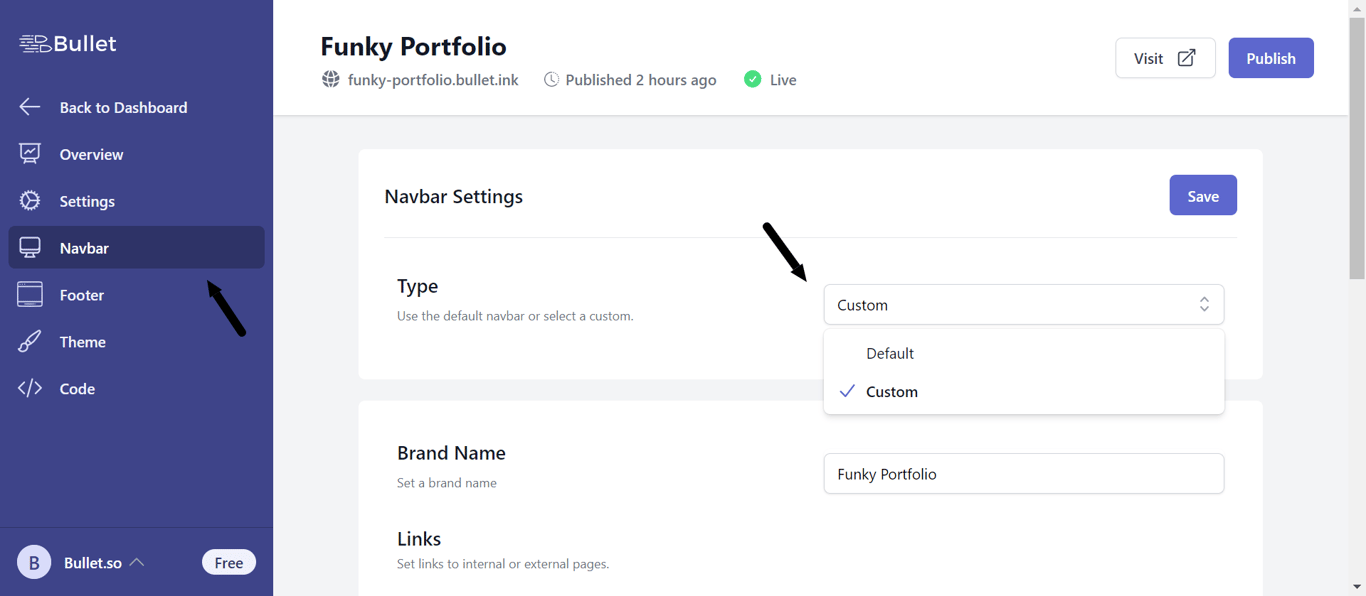
- After creating your site, click Navbar from the Bullet’s sidebar
- Choose Custom from the Type dropdown
- You can link an URL or a subpage to your Navbar
- You can add the elements as simple links or CTA blocks
Footer customization
.png/public)
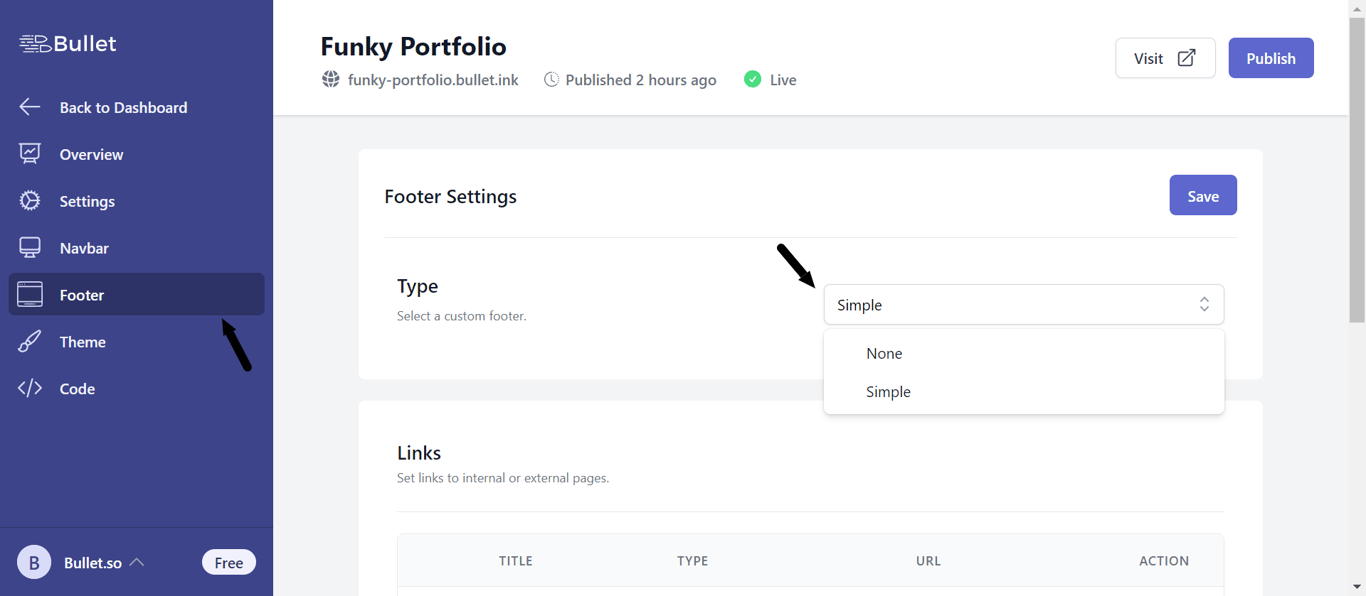
- After creating your site, click Footer from the Bullet’s sidebar
- Choose Custom from the Type dropdown
- You can link an URL or a subpage as links in your Footer section
- You can also add social media icons such as Facebook, Instagram etc. in your footer